How to Update Guild Member Information
⚠️ Only users who entered with admin code can use this feature.
Please follow these steps to update guild member information
Step 1: Copy Update Code and Access Mabinogi Mobile
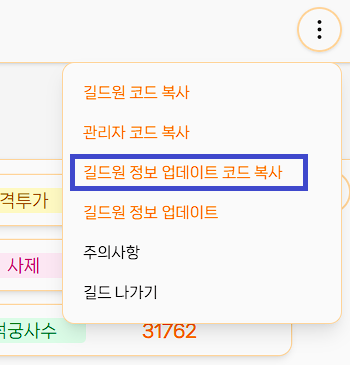
Open the menu button on the right side of the guild name, click Copy Guild Member Update Code, and then access the Mabinogi Mobile Website.
Step 2: Open Developer Tools
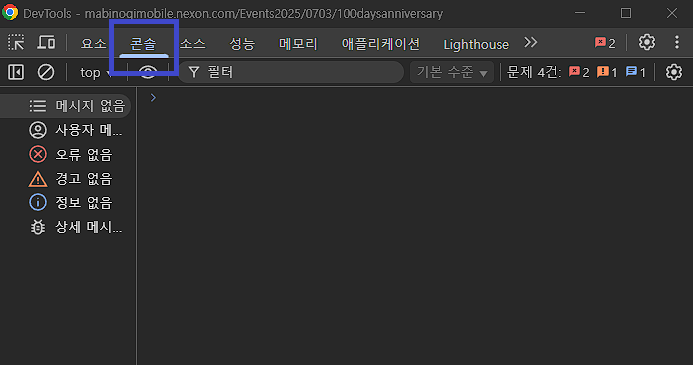
Once you've accessed the Mabinogi Mobile website, press the F12 key on your keyboard to open the Developer Tools.
Step 3: Execute Code in Console
Click the Console tab, then paste the copied code in the input field and press Enter.
💡 Allow Pasting Warning
- The first time you paste code in Chrome, a warning may appear asking you to type a specific phrase (depending on your Chrome language setting, it may show something like "allow pasting")
- Type the phrase shown in the warning exactly as it appears into the console, press Enter, then paste the code again. You only need to do this once — it won't appear again after that
- This permission is temporary and will be automatically revoked when the page is refreshed
Step 4: Wait for Data Collection
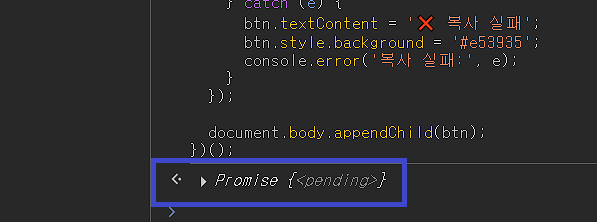
If Promise{<pending>} is displayed, data is being fetched normally.
(It takes about 10 seconds per character. Example: 10 characters will take 100 seconds.)
(It takes about 10 seconds per character. Example: 10 characters will take 100 seconds.)
Step 5: Copy JSON Data
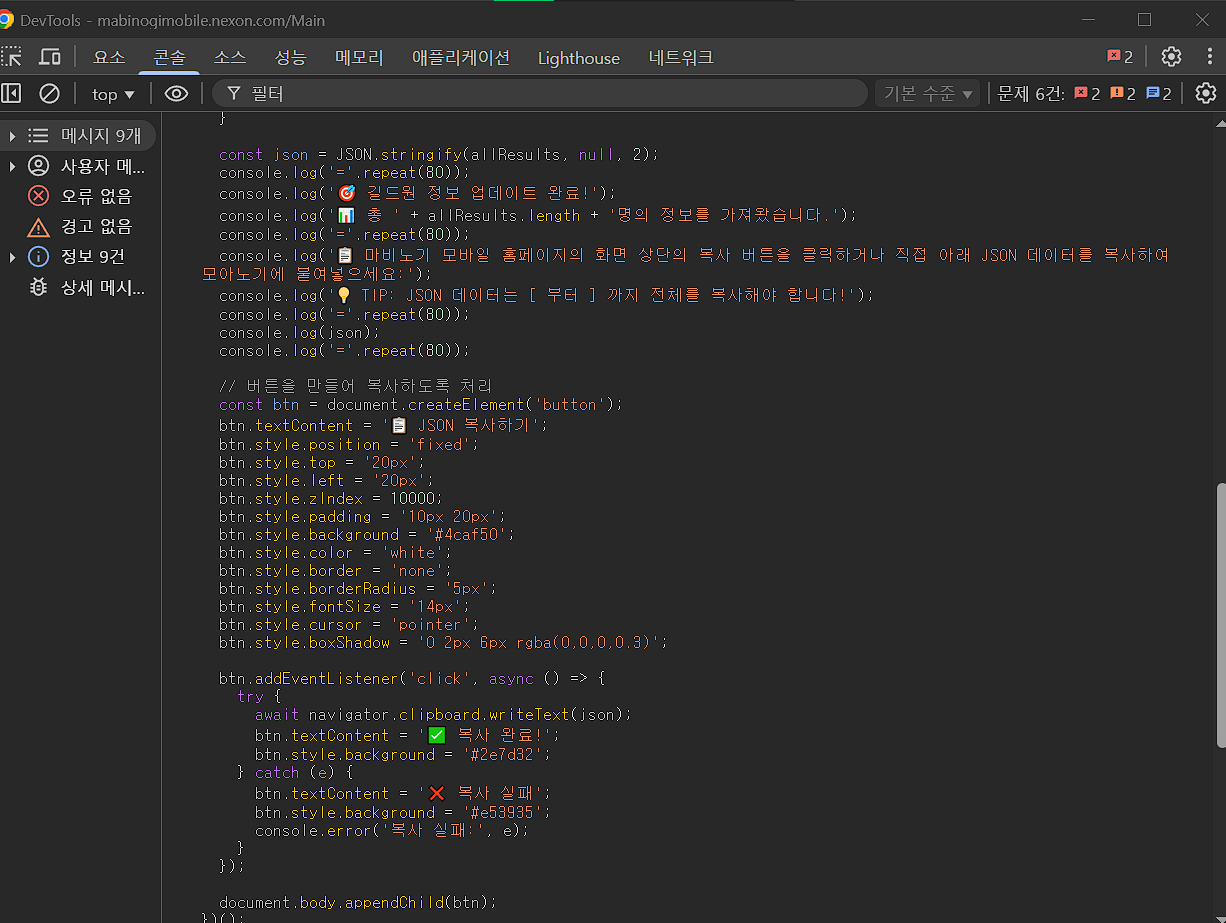
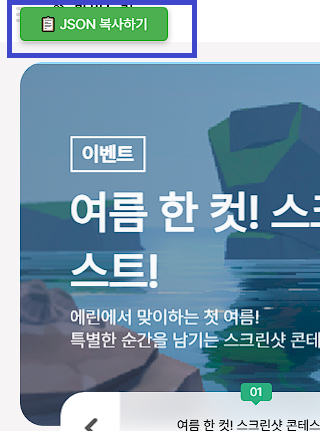
When complete, a "📋 Copy JSON" button will appear in the top left of the Mabinogi Mobile website.
Click that button to copy the JSON data.
Click that button to copy the JSON data.
Copy button:
JSON result:
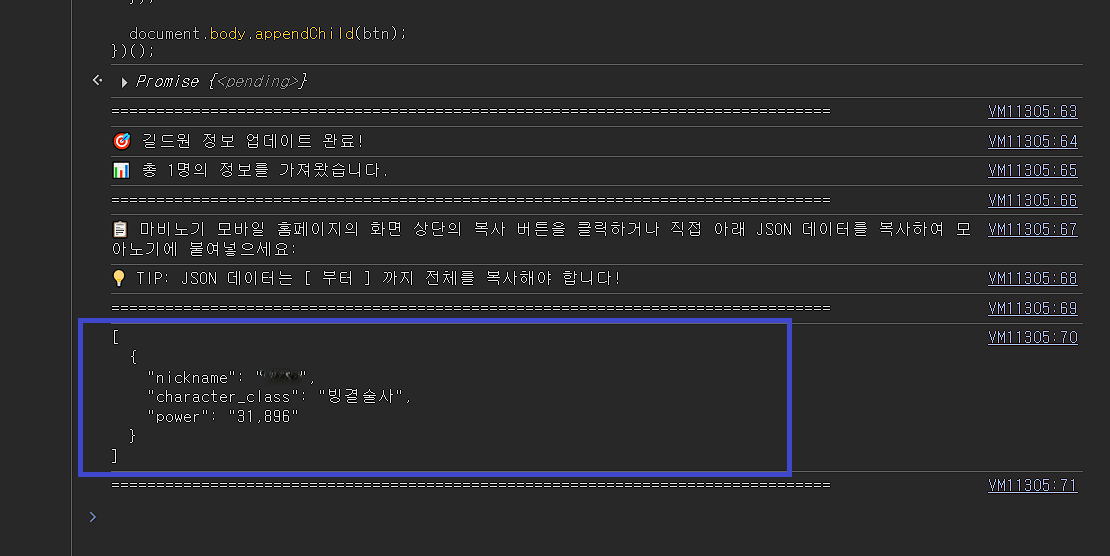
💡 Manual copy method: If the button doesn't work, you can manually select and copy the entire JSON data according to the instructions displayed in the console.
Step 6: Update Information in Moanogi
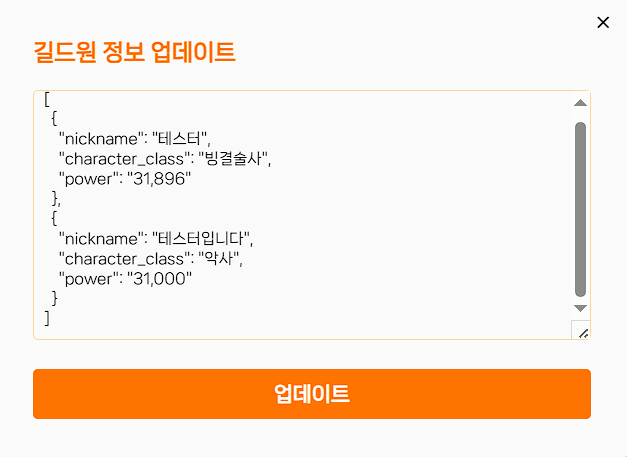
Paste the copied JSON data into Update Guild Member Information in the right menu button and save to apply all changes.
Common Sticking Points
Updating member info takes 6 steps, but a few things can trip you up the first time. Here they are, in the order we get asked about most.
- I can't paste the code into the console
- This is Chrome blocking the first paste into the developer tools console. It only shows up on accounts that have barely used the console before. Type the phrase the warning asks for (it varies by Chrome language — e.g. allow pasting) exactly into the console, press Enter, then paste again. You only need to do this once — after that, pasting works right away.
- Can I do this update on my phone?
- Step 2 needs F12 developer tools on a PC, so it can't be done on a phone or tablet. Do it on a PC yourself, or turn on the "Open to members" toggle at the top of the member list and let a member with a PC handle it. With the toggle on, regular members without the admin code can also run the update.
- Only some members got updated, the rest are blank
- This happens when a nickname isn't found on the official ranking. After you paste the code, the result screen shows a list of members not found on the official ranking — check it there. The nickname registered in Moanogi has to match the in-game nickname exactly, including spelling and spacing. It could also be the wrong server (world), or a character that hasn't appeared on the ranking yet.
- What happens if I pick the wrong server?
- The combat power ranking is provided per server (world), so if you pick the wrong one, even the same nickname won't be found. Be especially careful with worlds that look similar across regions — for example Korea's 알리사 and Taiwan's 愛麗沙. You can check the region and world you chose when creating the guild at the top of the member list.
- I lost the admin code
- Sign in with the Google account you used to create the guild, and you'll be taken back into your guild automatically, where you can check the admin code again. You can also reissue it from the code management screen — reissuing invalidates the old code.
- Is the update code safe?
- The generated code only reads the official website's public combat power ranking to collect nickname, class, and combat power — nothing else. It never asks for a game account or password, and it doesn't store any information beyond those values. You can review the code yourself before pasting it.
※ It may take some time due to the minimum waiting time set by Mabinogi Mobile.